Enabling Ping on VM-Series Firewall
-
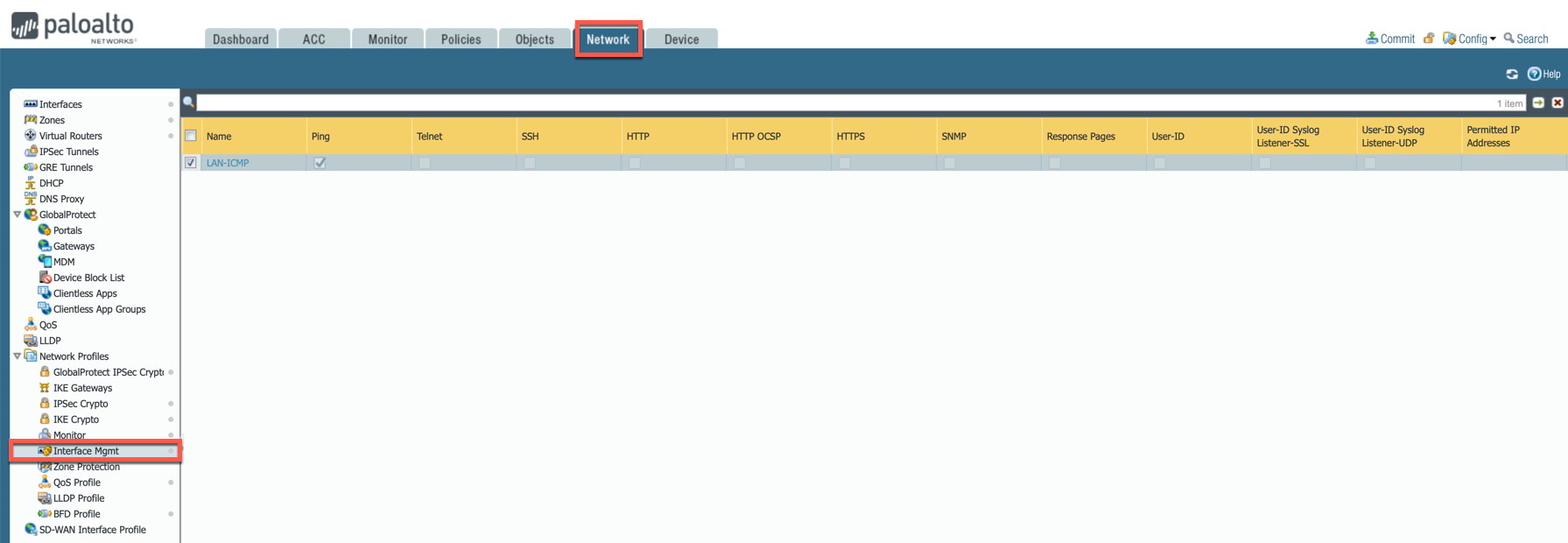
In the Palo Alto UI, go to Network > Network Profiles > Interface Mgmt and create profile to allow ping.
-
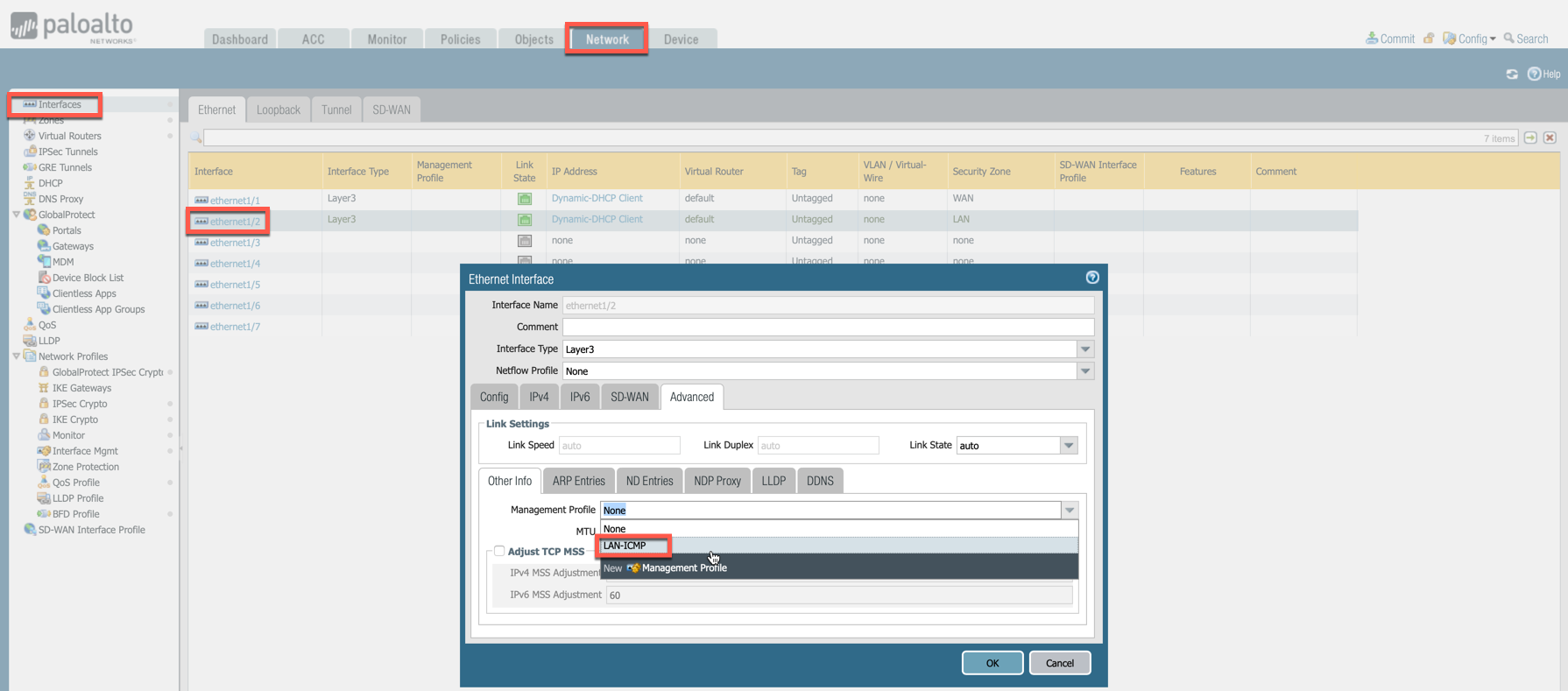
Go to Network > Interfaces, select Ethernet 1/2, go to the Advanced tab > Management Profile and select the profile just created in the step above.
-
Commit changes.